Overview
Product Inquiry on WhatsApp turns product questions into sales. It adds a contact button to your product pages so shoppers can reach you before they buy — with the product details already filled in — and saves every inquiry in one tidy, searchable inbox.
Start with WhatsApp for free, then add up to nine more channels so customers reach you the way they prefer. On paid plans you also get abandoned-cart recovery, order follow-ups, conversion tracking, reply templates and multi-number routing.
Installation & setup
Setup takes about five minutes and needs no code.
1. Add the button to your product pages
- In your Shopify admin go to Online Store, then Themes, and click Customize.
- Open a product template, click Add block, and choose Product Inquiry on WhatsApp.
- Position the button where you want it and Save.
2. Set your WhatsApp number
- Open the app and go to Settings.
- Enter your WhatsApp number in full international format, for example +447858627900.
- Optionally set a default message and choose whether a short details form appears before WhatsApp opens.
That is it — your button is live. To offer more channels, continue to the Channels page.
Contact channels
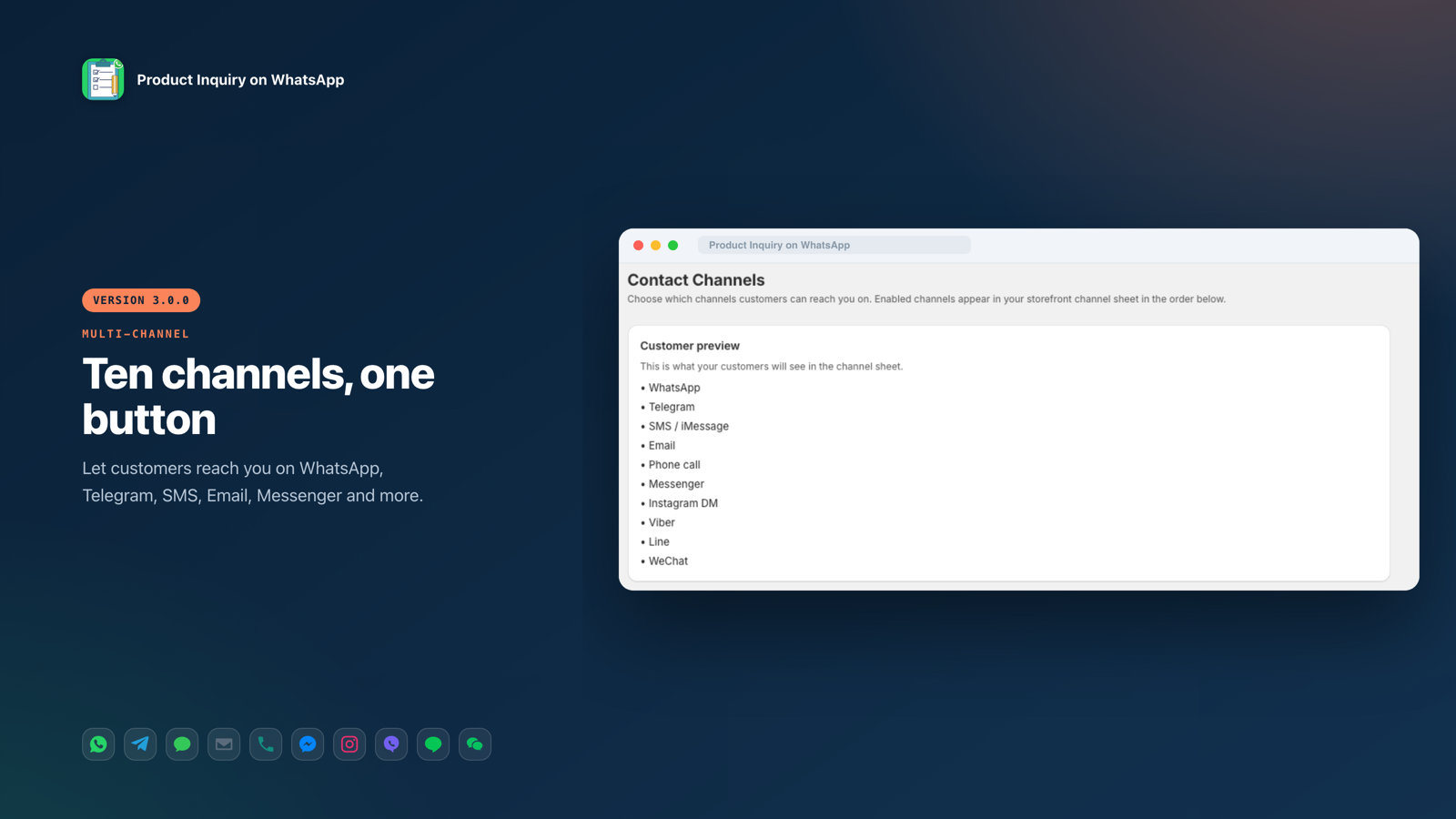
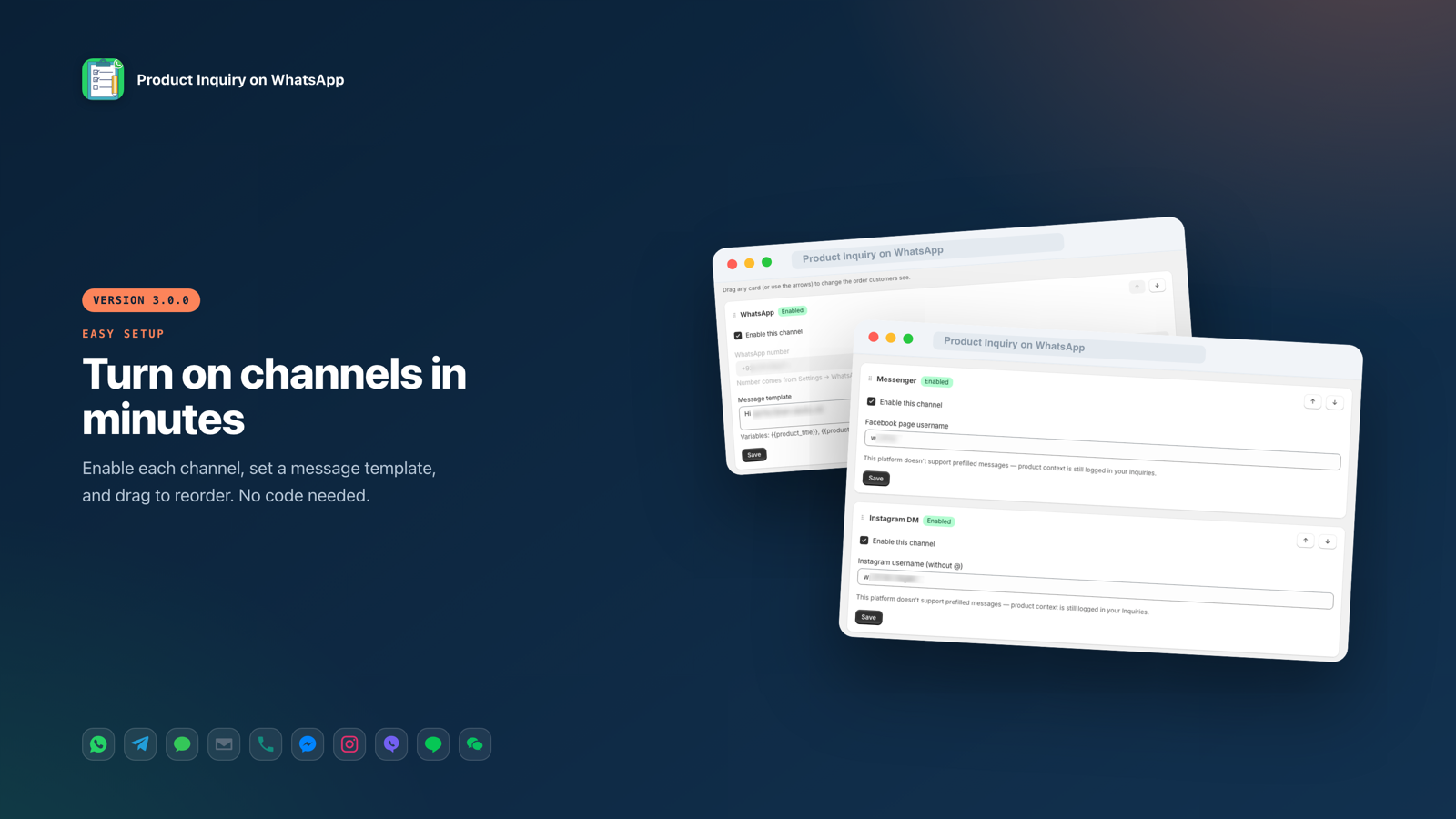
You can offer up to ten channels. WhatsApp is on every plan; the rest are on Pro and Ultimate. Manage them on the Channels page — enable a channel, add its handle, set a message template, and drag to reorder.
Channels with prefilled messages
- WhatsApp — your number; opens wa.me with the product details.
- Telegram — your username; opens a chat with a prefilled message.
- SMS / iMessage — your number; opens Messages with the text (handled correctly on both iPhone and Android).
- Email — your address; opens the customer's mail app, or shows an on-page email form if you prefer.
Channels without prefilled messages
Messenger, Instagram DM and Line do not allow prefilled text. When a customer picks one, the app logs which product they were viewing so the context still shows in your Inquiries.
Special channels
- Phone call — opens the dialler with your number.
- Viber — mobile only; hidden on desktop.
- WeChat — shows your QR image in a pop-up (no web link exists).
Message templates & variables
Each channel that supports prefilled messages has a message template. Use these variables and they are replaced automatically when a customer taps the button:
- {{product_title}} — the product name (short form: {product})
- {{product_url}} — a link to the product (short form: {url})
- {{shop_name}} — your store name (short form: {shop})
Example: "Hi! I have a question about {{product_title}} — {{product_url}}". The Email channel also has a separate subject template.
Inquiries inbox
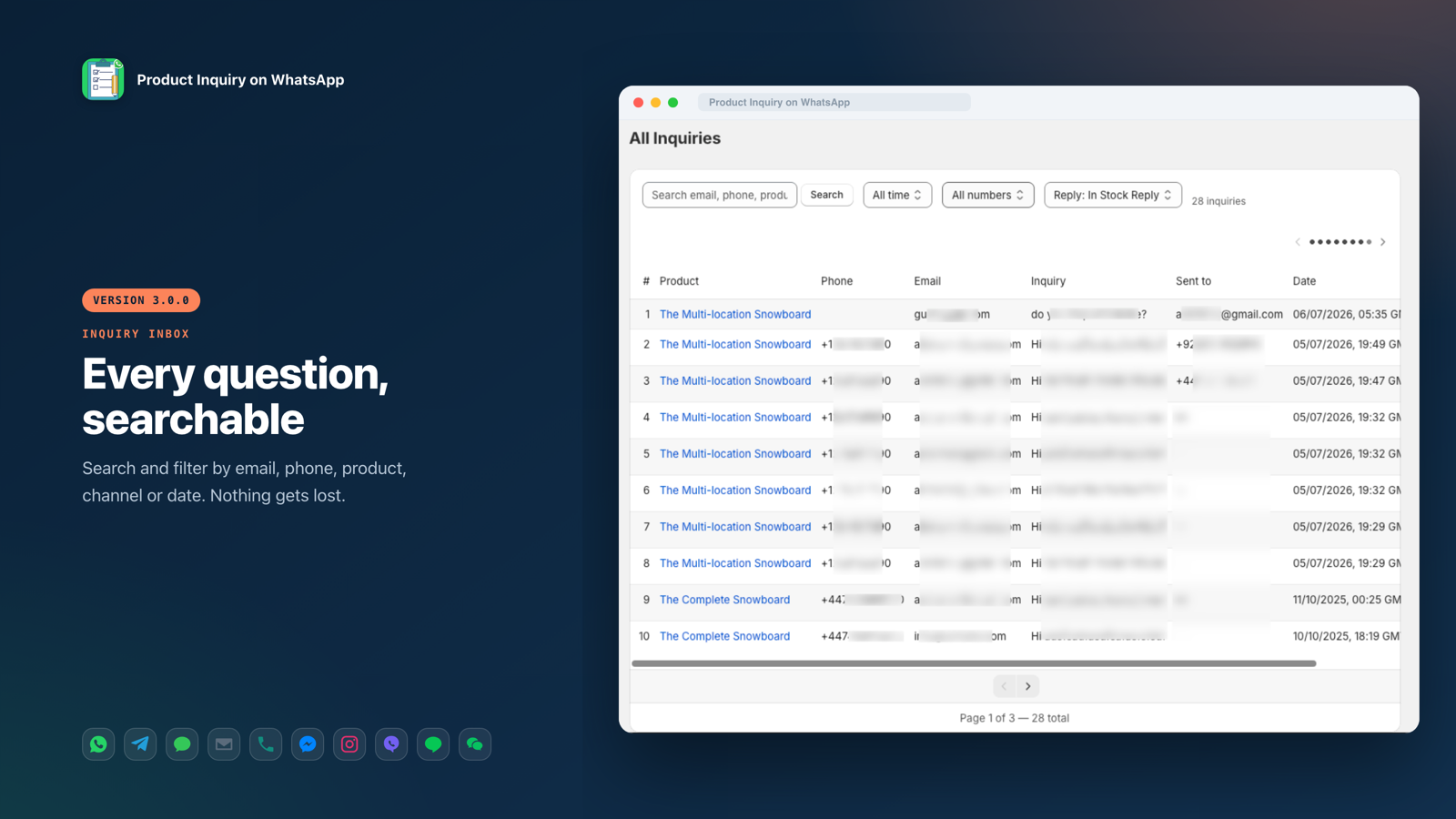
Every inquiry is saved under the Inquiries tab with the product, the customer's contact details, their message and the date. Search by email, phone, product or message text, and filter by date range — or by which WhatsApp number it was routed to when you run more than one.
Each row has a Reply button that opens WhatsApp addressed to that customer. Choose a saved reply template, or reply with a blank chat.
Dashboard & analytics
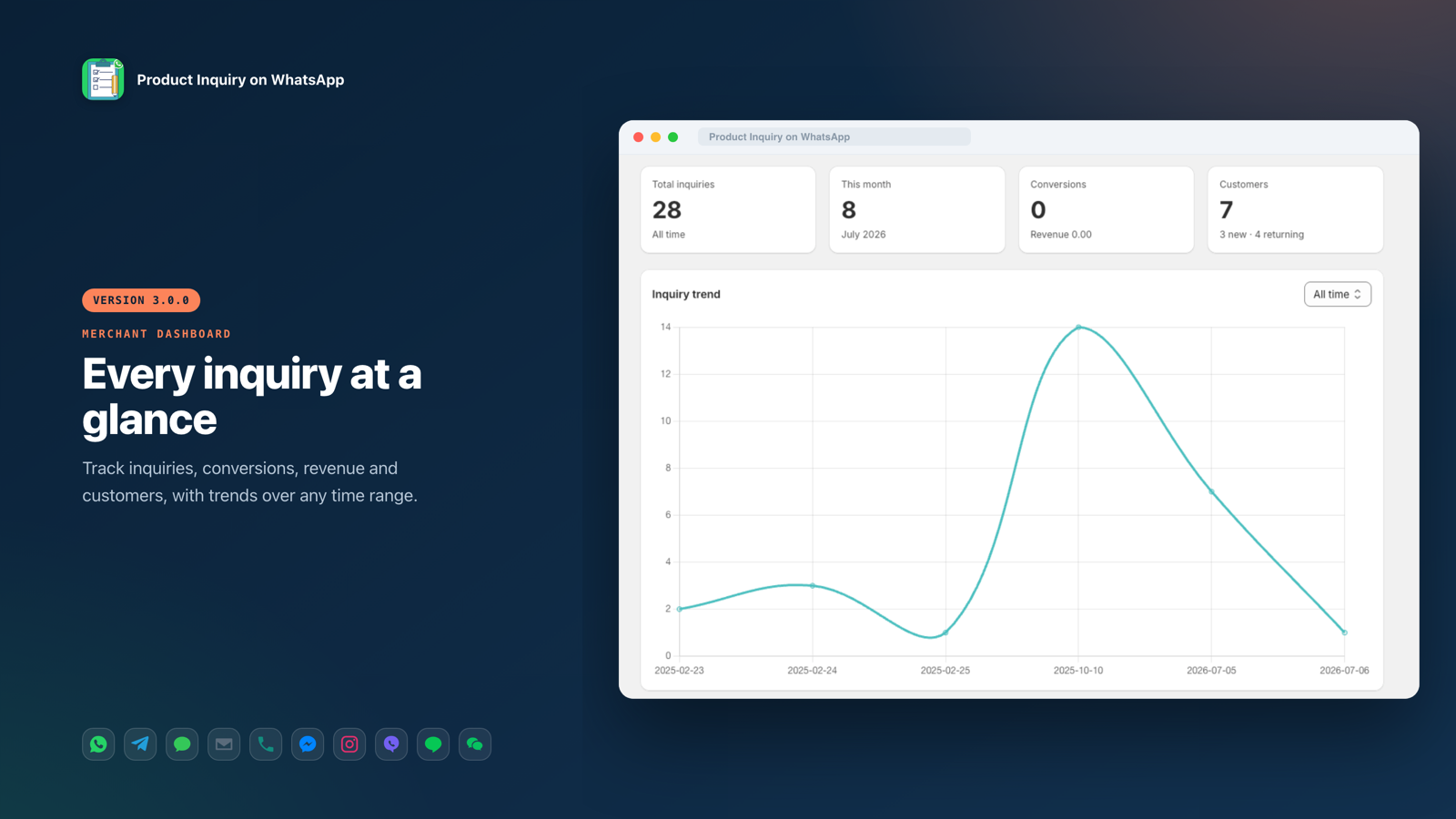
The dashboard summarises your inquiries at a glance — totals, this month, conversions with revenue, and customers — with a date-range selector and a trend badge that compares the current window to the one before.
Charts
- Inquiry trend over time
- Top products by inquiries
- New vs returning customers
- Peak hours and busiest days
- Inquiries by channel — which channels your shoppers use
- Inquiries by number — how routing spreads across your numbers
Export a branded PDF or a CSV at any time from the dashboard.
Abandoned cart recovery
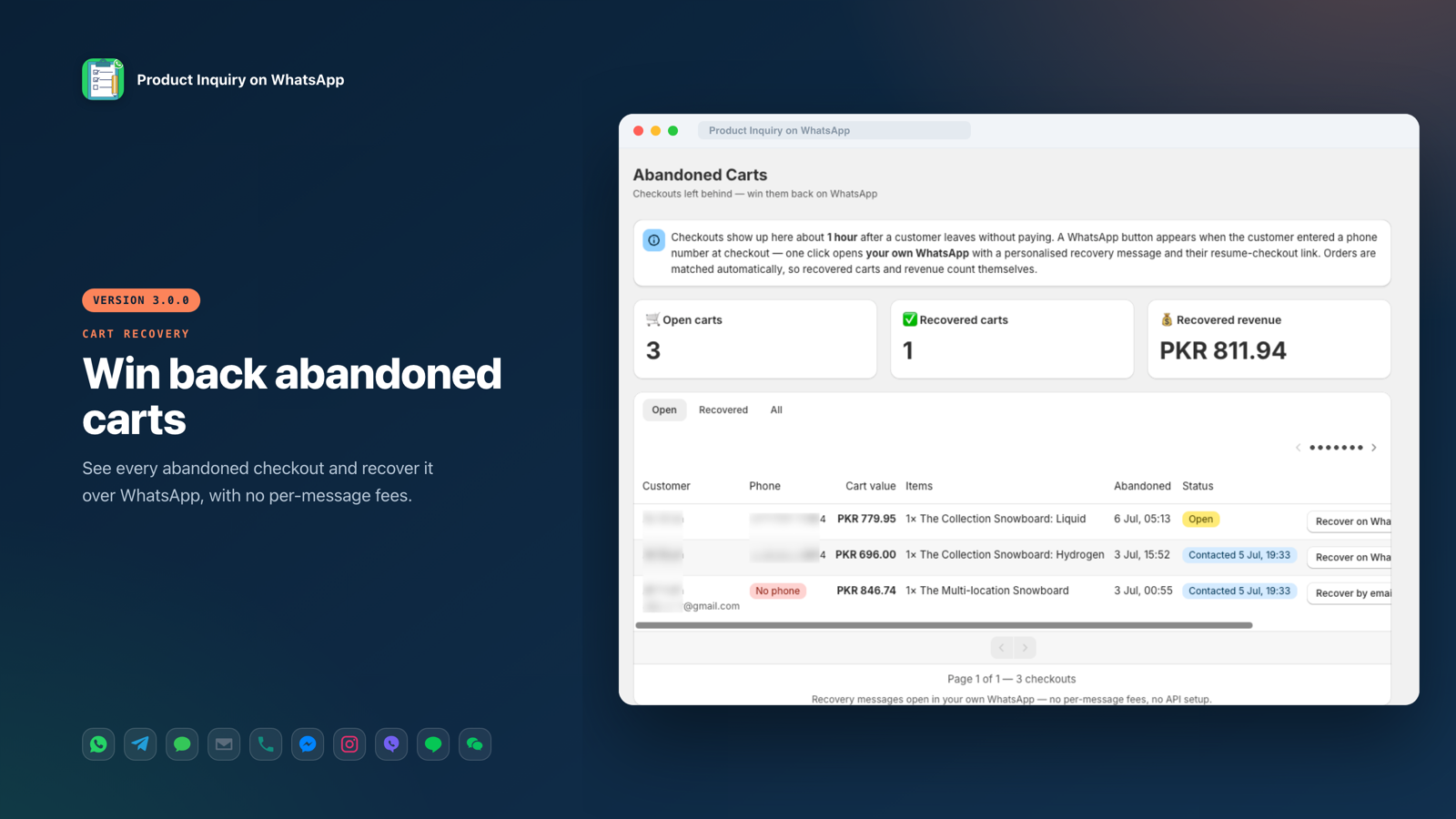
Checkouts a customer starts but leaves without paying appear on the Abandoned Carts page about an hour later, with the cart contents, value and the customer's contact details.
- Click Recover on WhatsApp to open your own WhatsApp with a personalised message and a link back to the customer's checkout.
- For checkouts with only an email, use Recover by email instead.
- Recovered carts and revenue are detected automatically when the order is placed, and counted for you.
There are no per-message fees — recovery messages open in your own apps. Available on Pro and Ultimate.
Order follow-ups
The Orders page lists your orders with a Follow up menu on each. In one click you can message the customer from your own WhatsApp to:
- Confirm a Cash on Delivery order
- Send an order confirmation
- Send a shipping update
- Ask for a review (Ultimate) — using a review link you set once
Filter by all orders, Cash on Delivery, or not-yet-contacted. Nothing sends automatically — every message opens in WhatsApp for you to send.
Multiple numbers & routing
Add extra WhatsApp numbers for your team on the Settings page under WhatsApp numbers & routing. Choose how inquiries are assigned:
- Always the primary number — every inquiry goes to your main WhatsApp.
- Round-robin — inquiries rotate across your numbers to spread the load.
Each inquiry records which number it was sent to, shown in the Sent to column and the Inquiries by number chart. Limits: Free one number, Pro three, Ultimate unlimited.
Button styling & presets
In the theme editor you can set the button text, colours, border, radius, padding and width. There is also a Style preset picker with ready-made looks (WhatsApp Classic, Dark Teal, Minimal White, Bold Black, Green Pill). Choose Custom to use your own colours.
Plans
Free
- WhatsApp button
- Inquiry inbox
- 50 inquiries per month
- Basic analytics
Pro
- All ten channels
- Unlimited inquiries
- Abandoned cart recovery
- Order follow-ups
- Conversion tracking
- Reply templates
- Multi-number routing
Ultimate
- Everything in Pro
- Review-request follow-ups
- Priority support
- Billed yearly (cheaper than monthly)
Billing is handled through Shopify, and you can change plans any time from the Plans page. See the app listing for current prices.
Privacy, GDPR & data
Customer inquiry data is stored securely and is only readable by you; storefront requests are cryptographically verified. The app honours Shopify's privacy webhooks automatically — data requests and deletions are handled within the required window, with personal data deleted or irreversibly anonymised (typically about 48 hours after an uninstall). Data is encrypted in transit and at rest, and is never sold.
Full detail is on the Privacy Policy and Data handling pages.
Getting help
Need a hand? Use the Support page inside the app, email piw@wprobo.com, or message the team on WhatsApp at +44 785 862 7900. A real person answers.